
I have tried vibe coding and I'm worried...
Vibe coding can build working apps incredibly fast—but speed hides long-term risks: abandoned apps with sensitive data, unpatched vulnerabilities, rising AI maintenance costs, and solutions that fail to scale, integrate, or meet secure-by-design principles.
TL;DR
After seeing the increased hype around vibe coding, I wanted to experiment with it for myself to see the results. And I have to say, I'm impressed by how fast an AI model can build a working application. On the other hand I'm a bit worried about the long term security implications of vibe coding:
- Abandoned applications with sensitive data: without a support model to ensure security updates and software patches are applied in a timely manner, security vulnerabilities will make these apps a juicy target for threat actors;
- Code and business logic stuck behind a paywall: adding feature after feature will increase complexity and the code base; with increasing AI costs, vibe coders will face challenges in maintaining the solution.
- "Square peg in the round hole": Without following security and architecture design principles, people might build things that do not scale, do not integrate well with other solutions
My Vibe-coded app...
Background story...
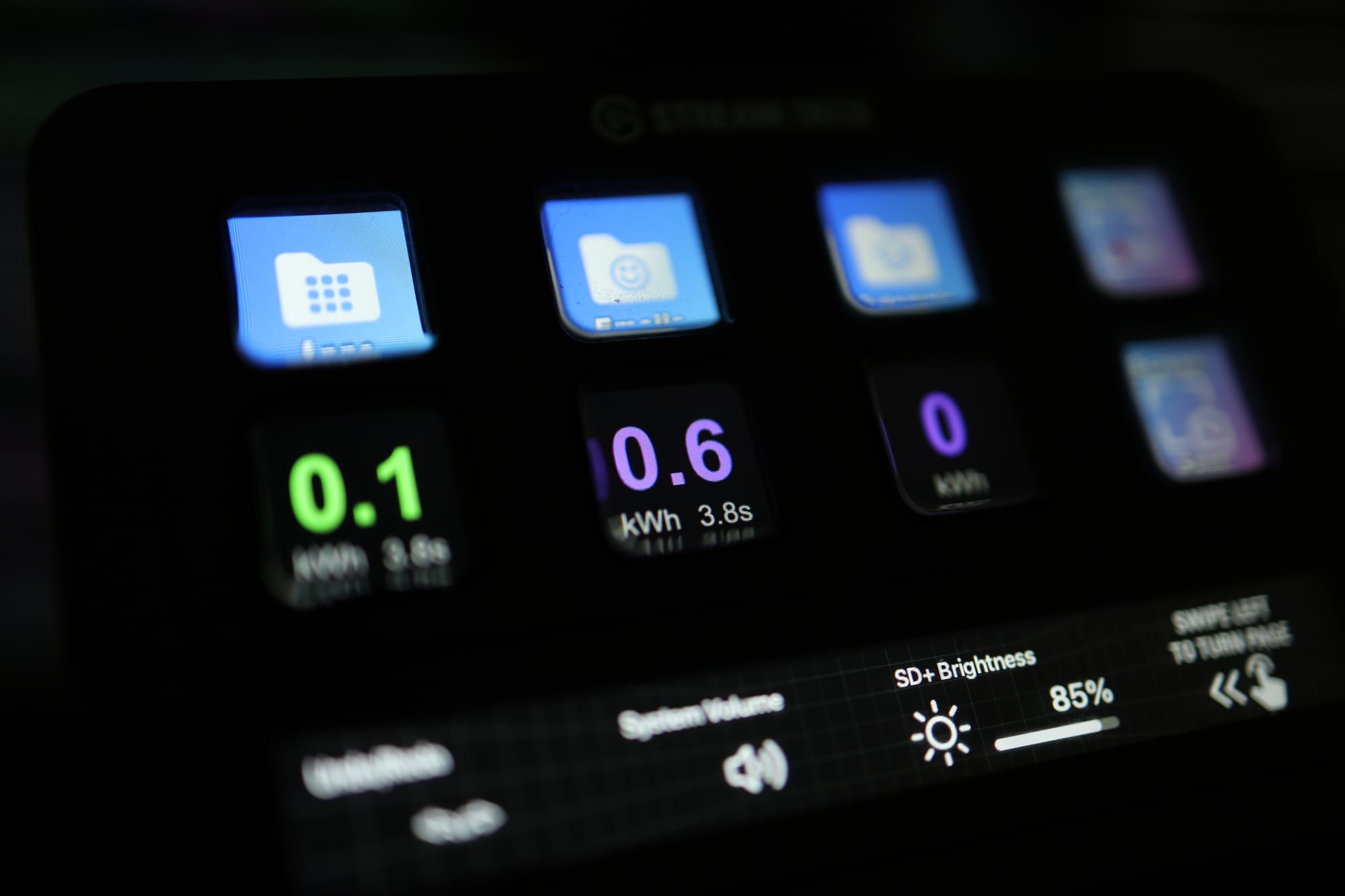
I was lacking an original idea for my vibe coding attempt, beyond a TODO list app. One day my wife asked me to check the current meter app to see if it's ok to turn on the dryer at the same time with the washing machine, and behold the idea came: I want to view at a glance on my stream deck the energy consumption from my smart meter without going into the app; I know right... first world problems.
The tech side
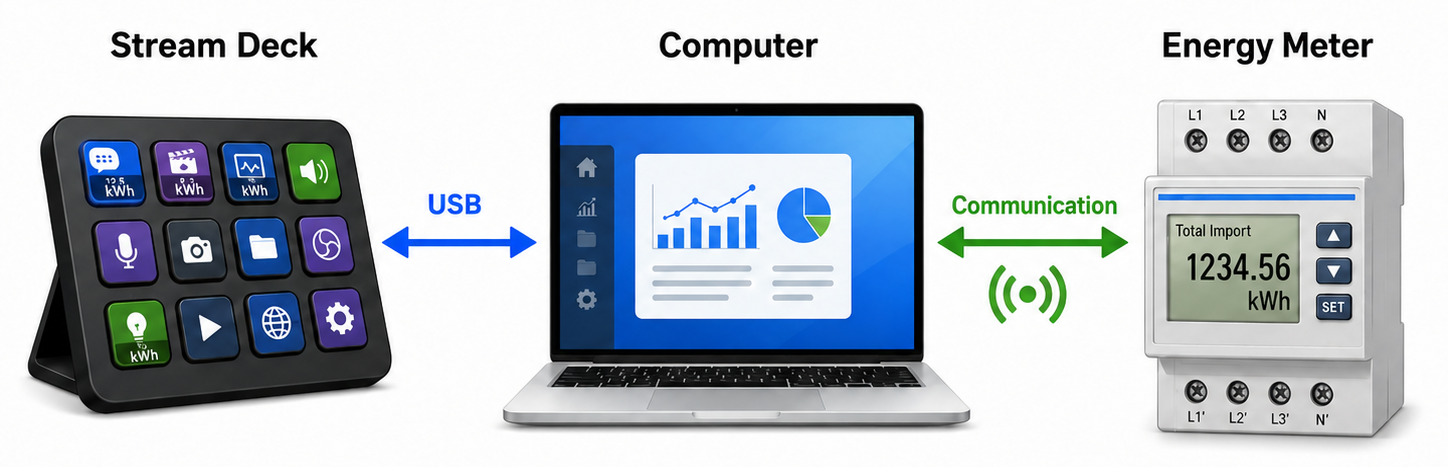
A stream deck, for those who have not seen or used one, it's essentially a customizable [macro] keyboard, with a display behind each key. You can configure what actions are executed when a key is pressed; for example, you can have it launch an application, mute or unmute your microphone or do keyboard shortcuts, endless possibilities. It also has plugins, which let's your stream deck software interact with other things, for example, if you have smart lights like the Philips HUE, there is a plugin that let's you control the lights from your stream deck, pretty cool... Elgato provides a software development kit (SDK) for everyone who wants to build a plugin.

Initially I was under the impression that the plugin's run on the device itself, but after my experience I'm convinced that it runs in the stream deck software on the computer it's connected to.
On the other hand to get the energy consumption, I use a smart meter from Homewizzard. These connect to the WiFi and make an API available, which allows the querying of the current consumption that passes through it. Interesting enough, the v1 version of the API does not require any form of authentication 🤔...


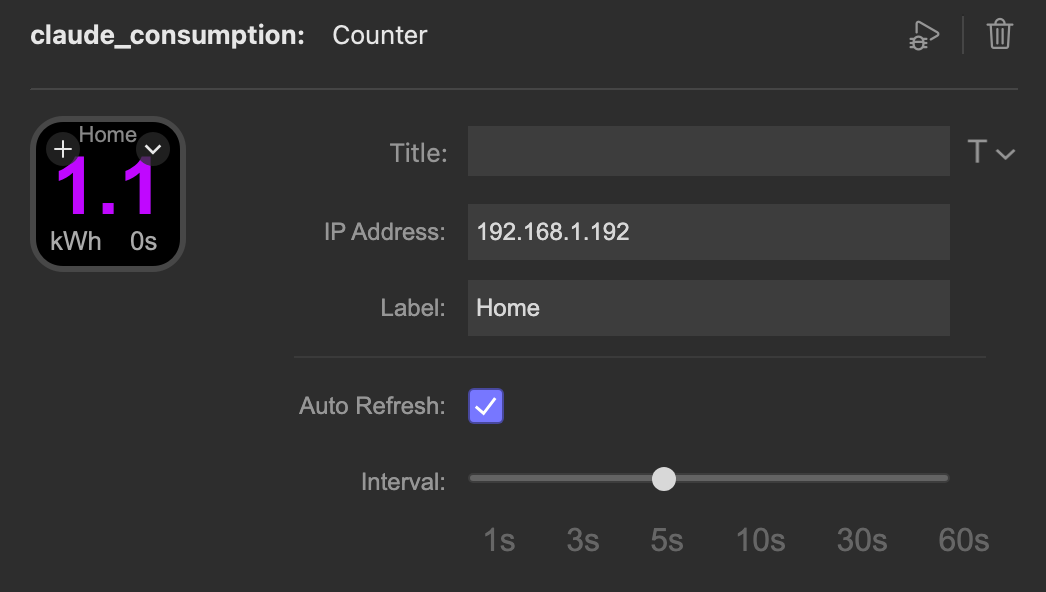
In terms of how the solution works, when I press a button on the stream deck, a web request will query the energy meter, retrieve a JSON with the consumption and extract the power in W and display that on the key that was pressed.
Vibe coding...
I have used Claude Code with Opus 4.7, fed it the link to the SDK documentation and prompt it step by stem until I had a working prototype. To stay true to my initial objective, I have not used GIT for source control, instead I was asking Claude to revert back in case I didn't like something, this led to a messy code base in the end.
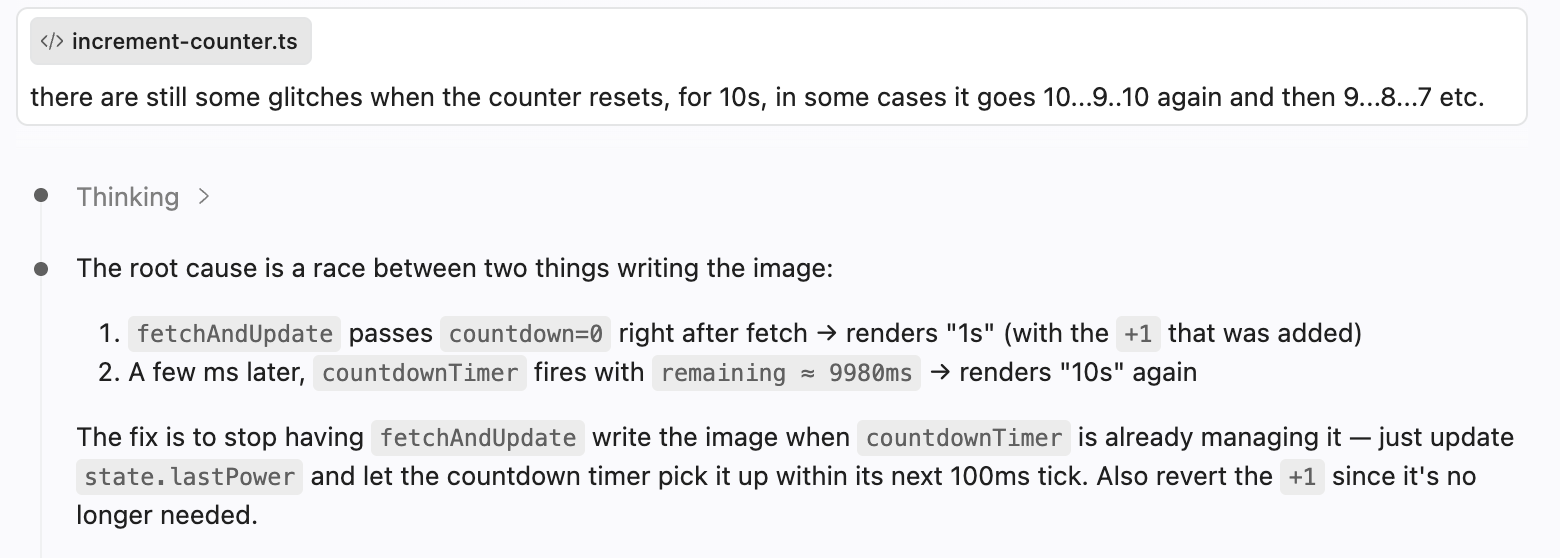
Then I wanted to increase complexity and wanted to build a timer function, so the current reading will periodically refresh and make a new reading for a set amount of time... and interesting enough it work almost flawlessly... every time the key was about to refresh it had a small flicker effect, so I've asked Claude about it and surprisingly, it detected the race condition between the internal timer and the display refresh cycle and corrected it.
Conclusion
I am impressed, in a couple of hours I managed to have a working prototype using two technologies I had no prior experience with. I went through the code and I noticed a lot of functions still in there that were not used anymore, so I think for small experiments, it's ok, but Vibe coding for enterprise apps I think it's a recipe for disaster.
Regarding the plugin itself, I don't think it's yet ready for prime time, to upload it to the Elgato Marketplace and share it with the world, I do think there is an opportunity for a part 2 of this blog post, where I plan to do things the right way, containerizing the dev environment, add some automated tests and clean-up the code base, all with the help of AI of course... maybe also try OpenAI or a local model...
What's next?
I do want to continue experimenting with vibe coding and look at how security can be implemented alongside to avoid "happy incidents" like deleting a production database 😄: https://medium.com/coding-nexus/the-day-claude-code-deleted-our-production-database-51606d71436e
